> For the complete documentation index, see [llms.txt](https://docs.authgear.com/llms.txt). Markdown versions of documentation pages are available by appending `.md` to page URLs; this page is available as [Markdown](https://docs.authgear.com/authentication-and-access/authentication/passwords/password-policy.md).
# Password Policy
Setting format and strength requirements for passwords
Authgear allows you to set a password policy for your project. This page walks through setting password requirements, password strength, keywords to exclude, and password expiry from the Authgear Portal.
You can configure your password policy in password settings.
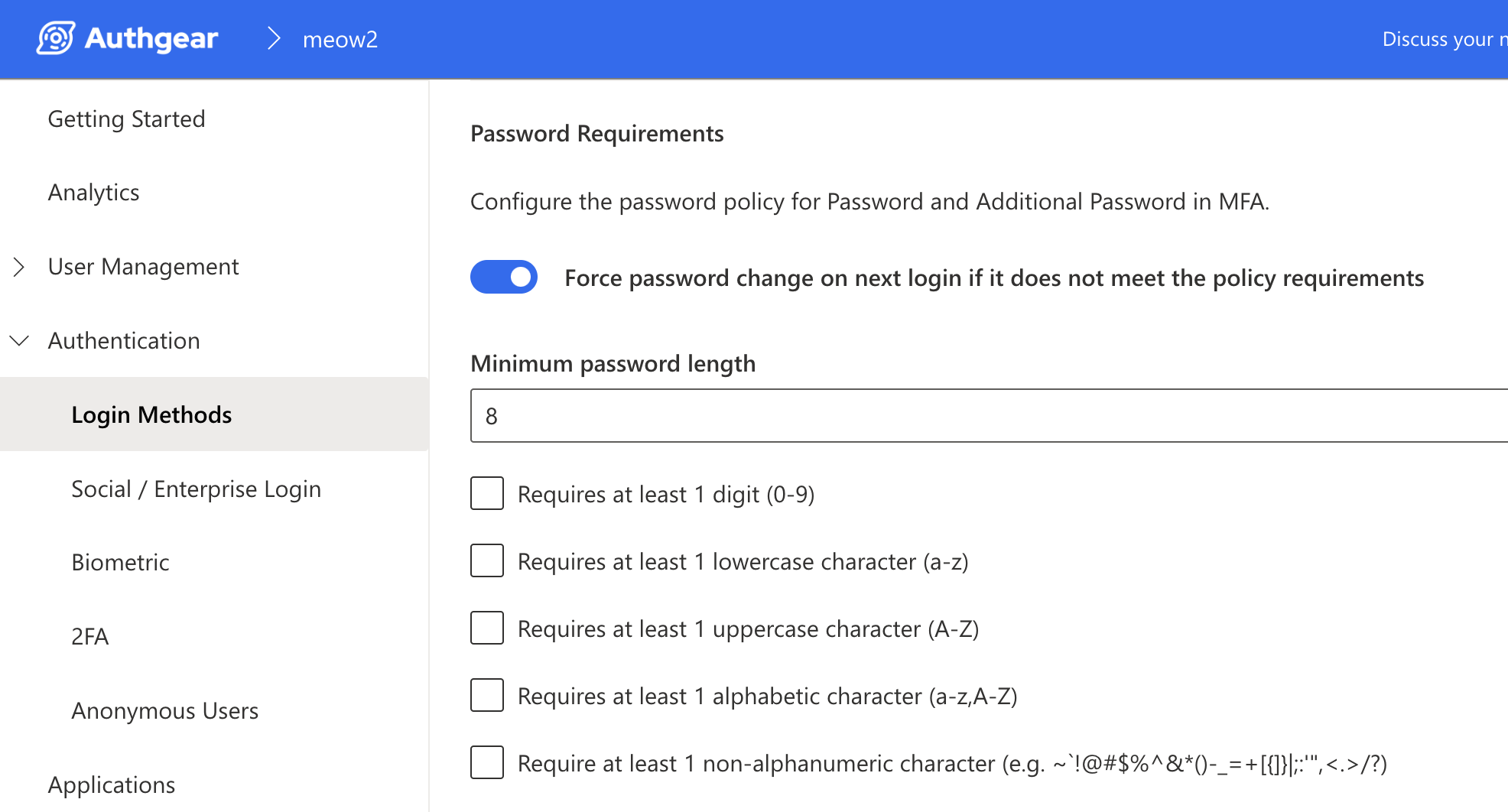
## 1. Password Requirements
Choose a minimum character length, and use the checkboxes provided to include one or more requirements for a valid password.
To ensure your updated password policy applies to both existing and new users, toggle on "Force password change on next login". All users will be required to update their passwords if their current passwords do not meet the newly configured policy.
## 2. Password Strength
#### What is password strength?
Password strength is simply a measure of how difficult it is to guess or crack a password.
Authgear currently uses the [zxcvbn](https://github.com/dropbox/zxcvbn) password strength estimator library, which goes beyond basic requirements (like length or character variety) and uses pattern matching to recognize common insecure passwords.
How password strength is calculated in Authgear
A password is scored for how uncommon and guessable it is using the zxcvbn algorithm.
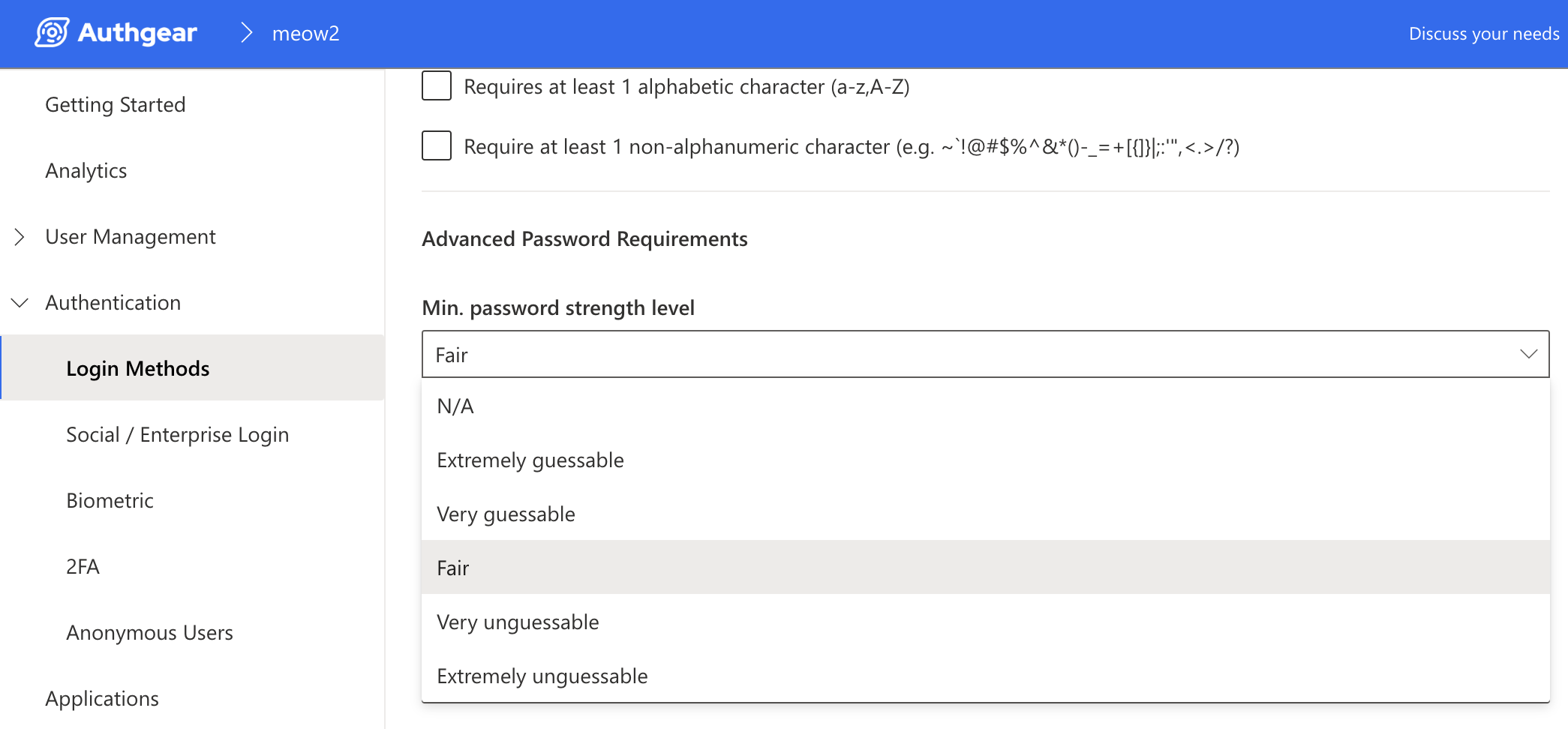
The following table shows the scores for the various minimum password strength levels in Authgear.
| Password Strength Level | Score | Description |
| ----------------------- | ----- | ------------------------------------------------------------------------------------------------------------------- |
| N/A | - | Totally ignore the Advance password strength score and use the Basic password policy. E.g. Minimum password length. |
| Extremely guessable | 0 | Too guessable: risky password. (guesses < 10^3) |
| Very guessable | 1 | Very guessable: protection from throttled online attacks. (guesses < 10^6) |
| Fair | 2 | Somewhat guessable: protection from unthrottled online attacks. (guesses < 10^8) |
| Very unguessable | 3 | Safely unguessable: moderate protection from offline slow-hash scenario. (guesses < 10^10) |
| Extremely unguessable | 4 | Very unguessable: strong protection from offline slow-hash scenario. (guesses >= 10^10) |
### How to set password strength for your Authgear project
Scroll down to the Advanced sub-section of the Password tab, then click select your preferred option from the **Min. password strength level** dropdown.
## 3. Prevent Password Reuse
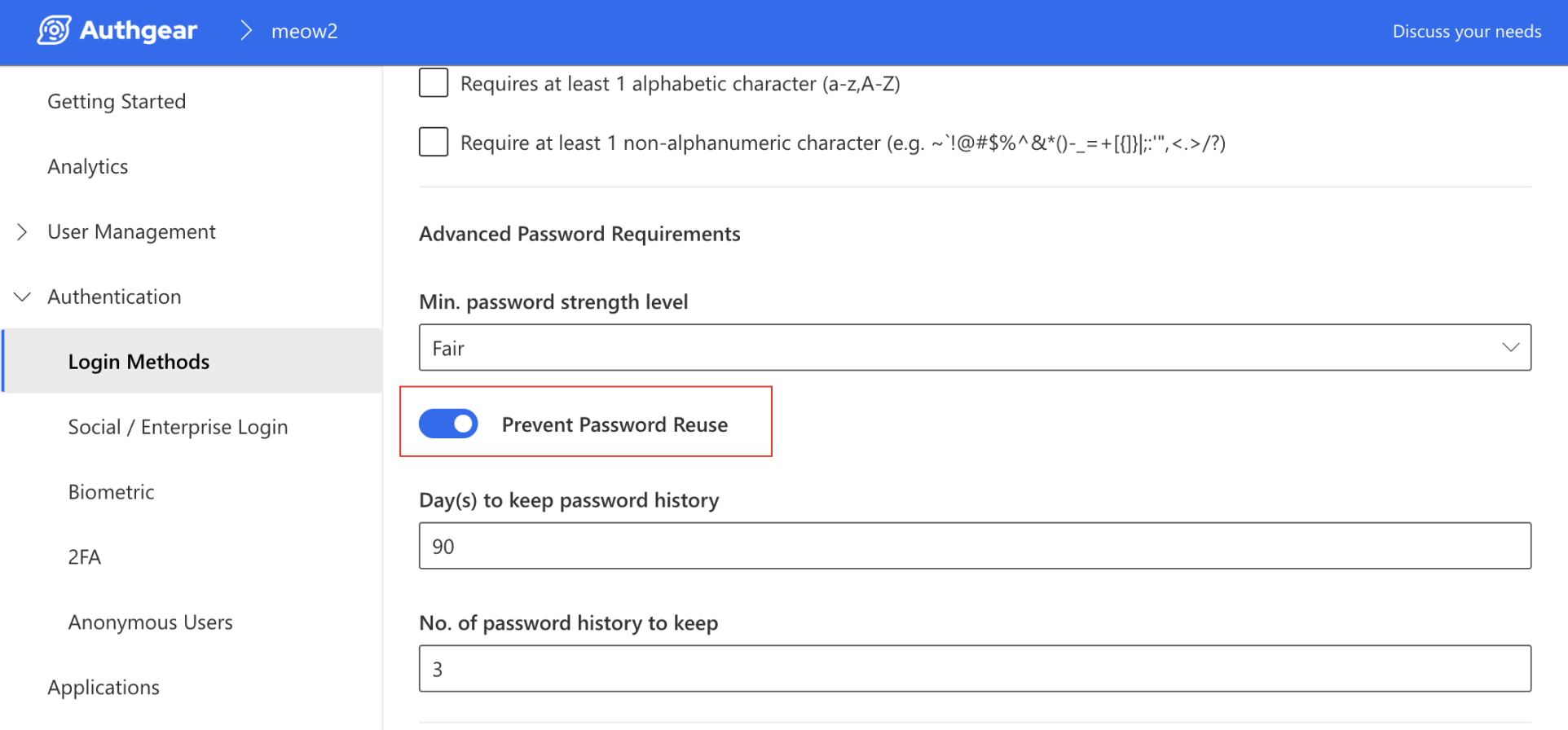
Toggle on **Prevent Password Reuse** to ensure a new, unique password is set during password changes.
In the following example, the new password cannot match any password used within the 90 days, or any last 3 previously used passwords.
## 4. Keywords to be Excluded from Password
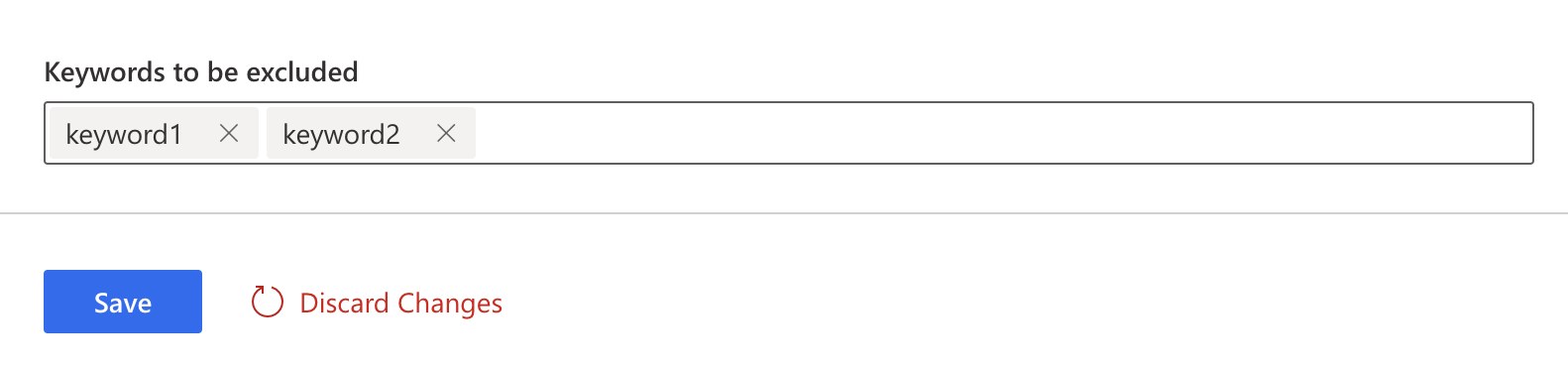
You can also disallow specific keywords in the user's password. Simply add them to the "Keywords to be excluded" field, and the admin or user will not be able to set a password containing the listed keywords.
## 5. Password Expiry
See [Password Expiry](/authentication-and-access/authentication/passwords/password-expiry.md)
Once you're done, remember to hit **Save** to keep your changes.
---
# Agent Instructions
This documentation is published with GitBook. GitBook is the documentation platform designed so that both humans and AI agents can read, navigate, and reason over technical content effectively. Learn more at gitbook.com.
## Querying This Documentation
If you need additional information that is not directly available in this page, you can query the documentation by asking a question.
Perform an HTTP GET request on the following URL with the `ask` and `goal` query parameters:
```
GET https://docs.authgear.com/authentication-and-access/authentication/passwords/password-policy.md?ask=&goal=
```
`ask` is the immediate question: it should be specific, self-contained, and written in natural language.
`goal` is what the user is ultimately trying to achieve, the reason they need the answer. Sharing it helps GitBook give you a better, more relevant answer. A goal is most helpful when it describes the outcome the user wants rather than restating the question. For example, with `ask=how do I create an API token`, a goal like `automate deployments from our CI pipeline` lets GitBook tailor the answer to that use case.
The response will contain a direct answer to the question and relevant excerpts and sources from the documentation.
Use this mechanism when the answer is not explicitly present in the current page, you need clarification or additional context, or you want to retrieve related documentation sections.